After 9 Years Away from iPhone, I Feel Like I Don't Know How to Use It Anymore
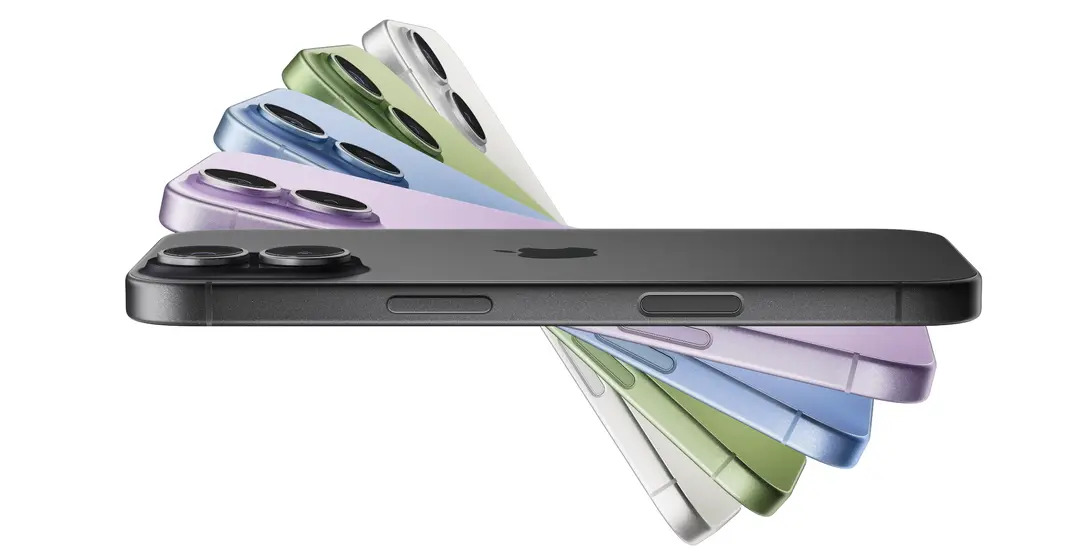
Nine years ago, I switched from iPhone to Android. Back then, many people still associated "Android" with words like "laggy," "overheating," and "bloated system." Honestly, the overall experience of domestic Android phones at that time wasn't as polished as it is today. Many phone systems weren't particularly smooth, and the attention to detail was far from what it is now. Compared to the iPhone, Android didn't have an overwhelming advantage.
So, when I left iPhone back then, it wasn't because I suddenly found Android to be comprehensively better. It was because iPhone consistently failed to meet some very practical needs.
Features like call recording, dual SIM support, long screenshots, and SMS export might not seem like high-end functionalities to many—some might even hesitate to bring them up in discussion. But for me, they were incredibly practical. Especially in work scenarios, it's often not about whether something can be done, but whether it can be done more conveniently. Add to that the fact that the battery life of the iPhone 7 Plus back then was far from satisfactory—it drained rapidly under heavy use. Playing a single round of PUBG could consume 25% of the battery, and using it a bit more meant scrambling for a charger. The Lightning port at the time also had to handle both charging and headphones, making daily use feel somewhat chaotic.
In that sense, my switch to Android back then wasn't because Android was already advanced; it was because iPhone simply wasn't convenient enough for some very specific, real-world needs.
But nine years have passed, and I recently bought an iPhone again, initially with a sense of anticipation for a long-awaited reunion. After all, Apple's progress in performance, imaging, display, and system smoothness over the years is well-known. Theoretically, today's iPhone 17 is nothing like the iPhone 7 from back then. Logically, it should be easier to use than before and shouldn't cause any significant discomfort.
I Don't Know How to Use iPhone Anymore
After getting the phone, I immediately logged into my Apple account, which I hadn't used in nine years. Looking at the account, my previously used iPhone 4, 5S, SE, 7 Plus, as well as long-idle iPad mini, iPad Pro, and Apple Watch 3 were all clearly listed. Some photos and messages left in iCloud automatically downloaded, bringing back a familiar feeling.
Then I opened the App Store, which recorded all my app downloads from 2011 to 2017. However, the unclickable download buttons next to them reminded me that these were all things of the past.
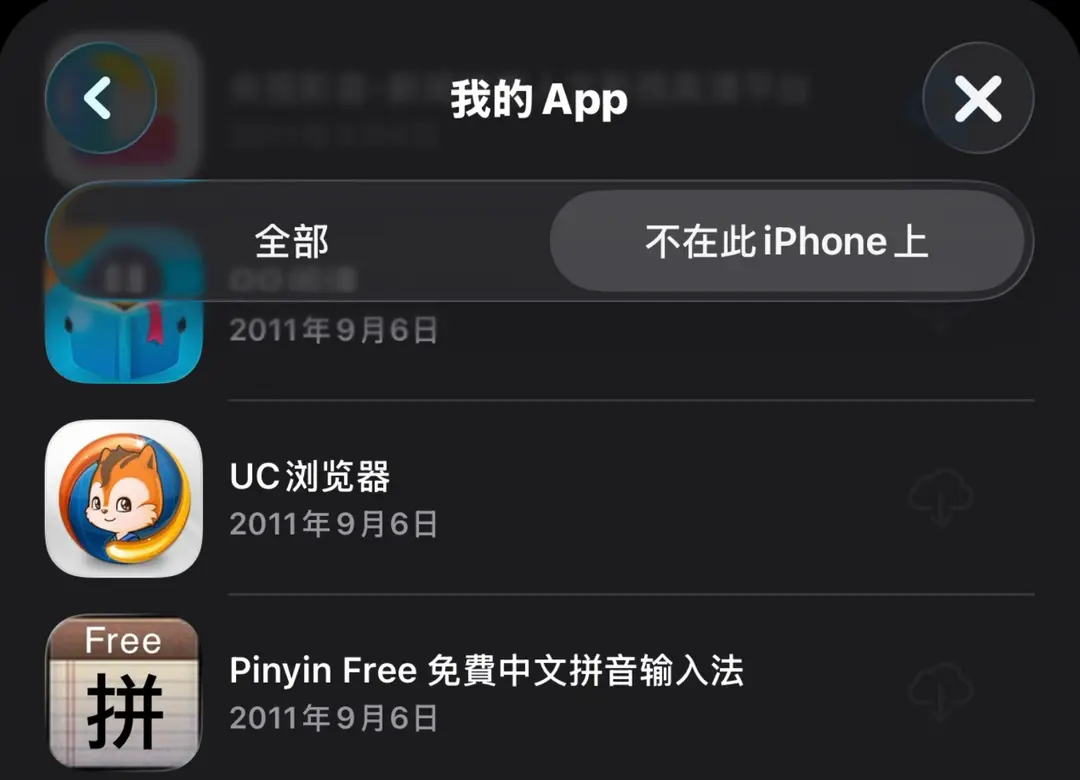
It was amidst this familiar sense of "reunion" that I started using it again.
But after actually using it for two days, I realized things weren't as smooth as I'd expected. I even felt a sense of helplessness, as if I didn't know how to use an iPhone anymore.
This feeling was strange. It wasn't that the phone had too many features I couldn't figure out; rather, many of the most basic, everyday operations—things I'd do dozens of times a day—felt awkward to me instinctively. Ultimately, it's not that I don't know how to use a smartphone; it's that my usage habits over these years have been completely reshaped by another system.
This feeling was strongest when it came to text copying.
iPhone's Basic Text Processing Capabilities Are Concerning
As I recall, the ability to long-press the screen on Android to copy text from apps or images likely started with Luo Yonghao's Smartisan OS, which he famously named the "Big Bang" feature. Since then, almost all domestic smartphones have built in this convenient text processing functionality.
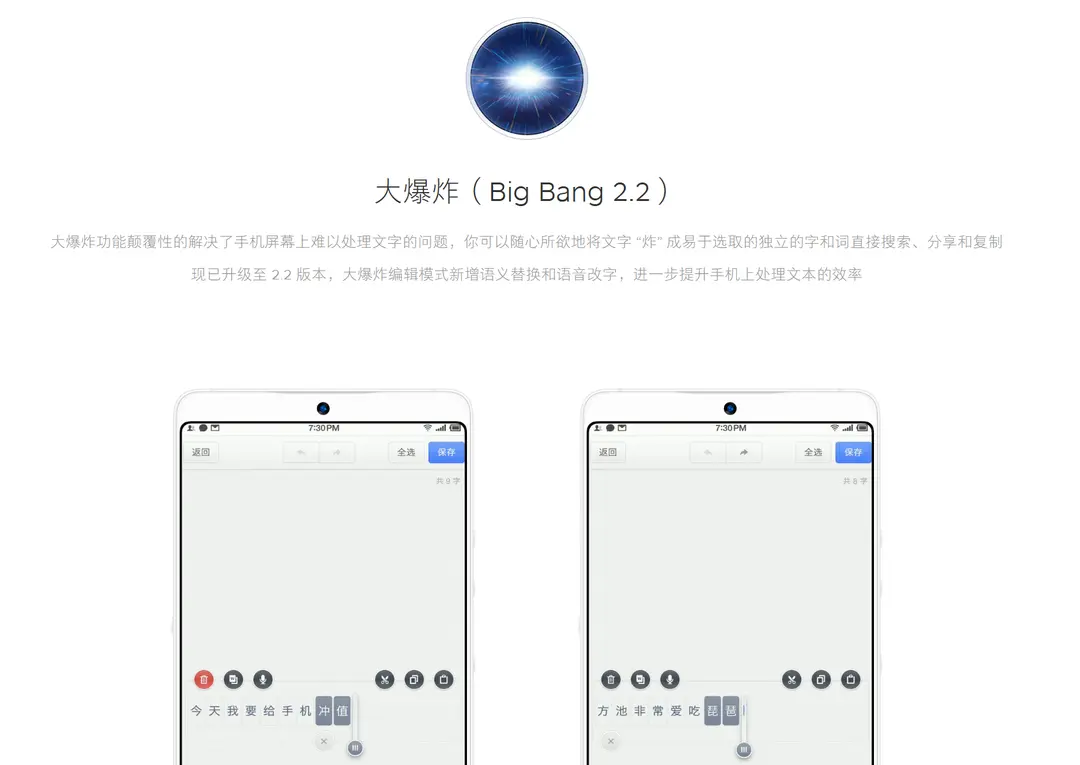
Unfortunately, such an efficient method is still missing on iPhone to this day.
On iPhone, if you want to copy text from an app, perform a word search, or translate, you need to rely on a program called "Shortcuts" and edit commands in a pattern reminiscent of elementary school programming. For example, for translation, you first need to set up a command to take a screenshot, then extract text from the screenshot. If the text in the image isn't empty, you use the phone's built-in translation app to convert the text to Chinese, and finally use the built-in "Show Text" function to display the translated text.
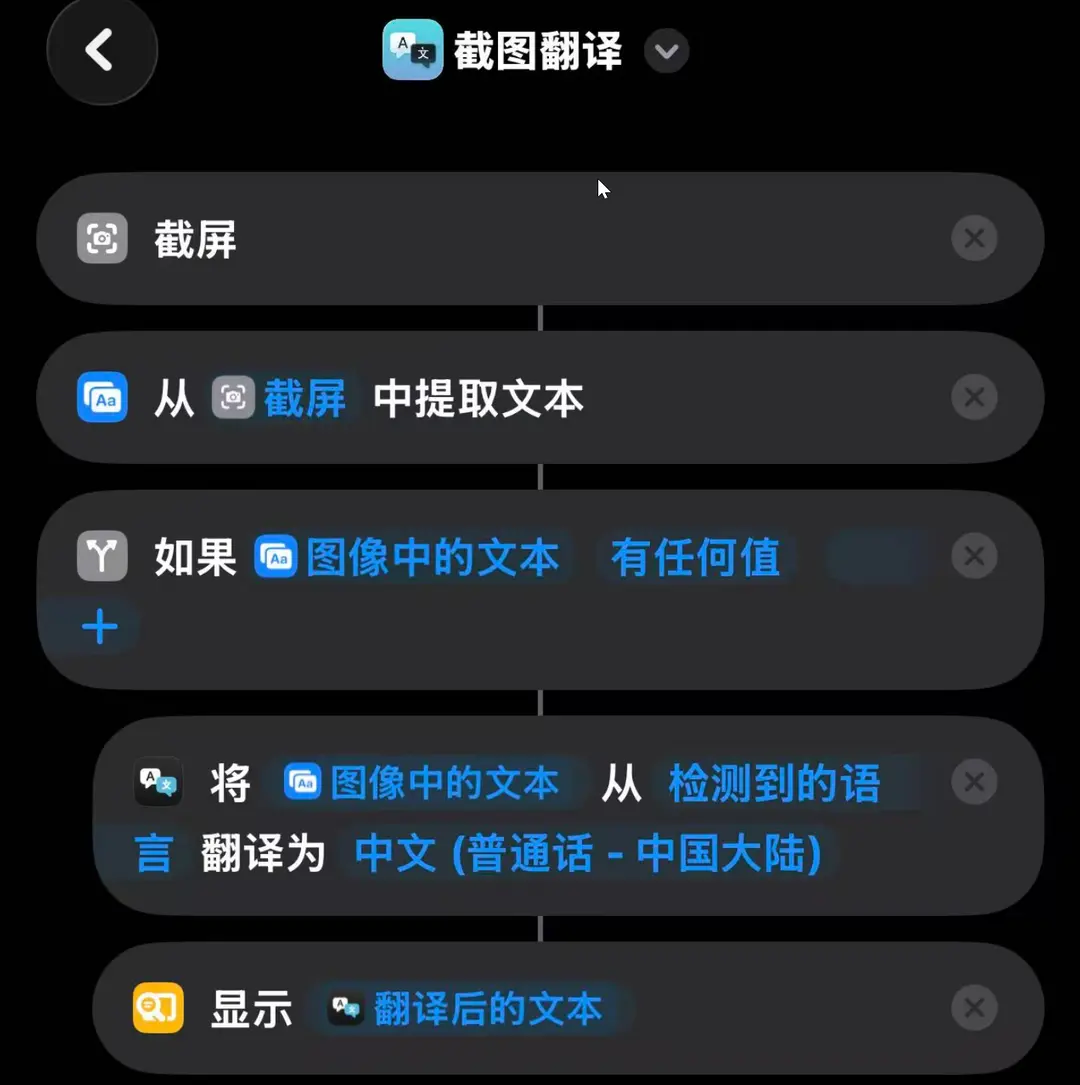
This kind of operation significantly increases user difficulty, and I encountered issues multiple times while using it. For instance, when I bound this shortcut to a double-tap on the back of the phone, sometimes nothing happened. To solve this problem, I spent hours testing. This included situations where the double-tap on the back didn't work, but running it via Siri was fine; replacing "Show Text" with "Show Notification" allowed it to run normally; and after using "Show Notification" multiple times, error code prompts would pop up. In the end, just for this one "Screenshot Translation" shortcut, seamless collaboration between five apps within the phone is required: the screenshot program, text extraction program, translation program, text display program, and the Shortcuts app itself. If any one program's permissions or the program itself malfunctions, the entire process fails.
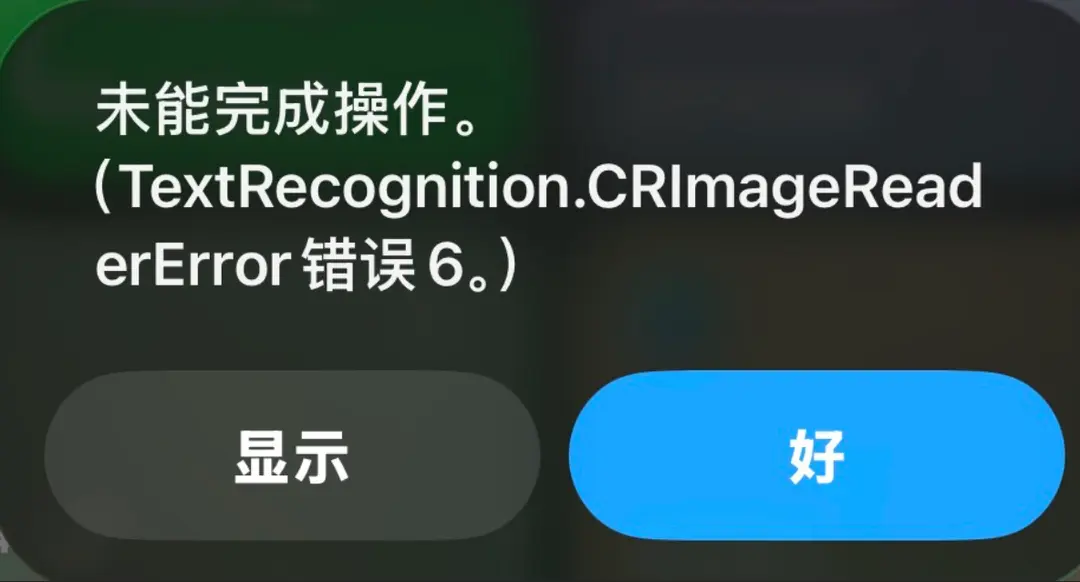
Seeing code error prompts pop up directly on the screen like this on iPhone is something I haven't encountered on a phone in many years. At least, during my use of Huawei, VIVO, and Smartisan phones, I never had such an experience.
iPhone's Input Method Is Hard to Describe
I don't remember what it was like typing on iPhone before. But after switching from Android to iPhone this time, I found that the current iPhone input method is incredibly difficult to use.
Before using iPhone, in recent years, the most difficult input method I'd experienced was Google's native Gboard. However, Gboard's difficulty mainly lies in hiding some special symbols behind conventional punctuation. For example, to input Chinese book title marks《》, you need to long-press the quotation marks to reveal them; to input symbols for RMB, Euro, or Pound, you need to long-press the dollar sign $ and then select. But this input method's difficulty is limited to these possibly less frequently used symbols.
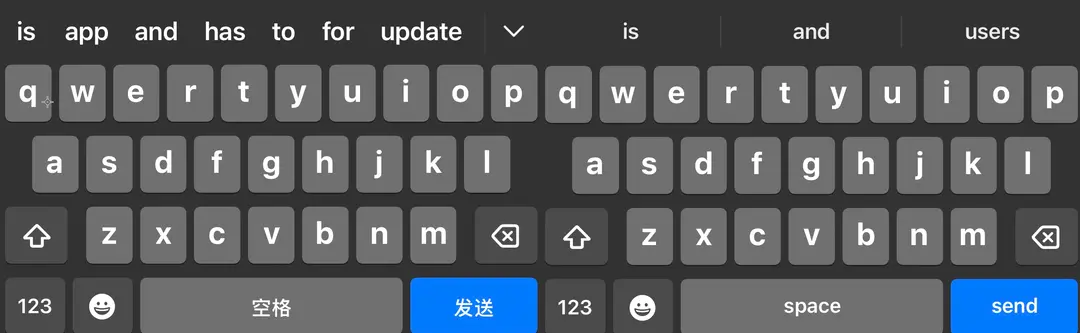
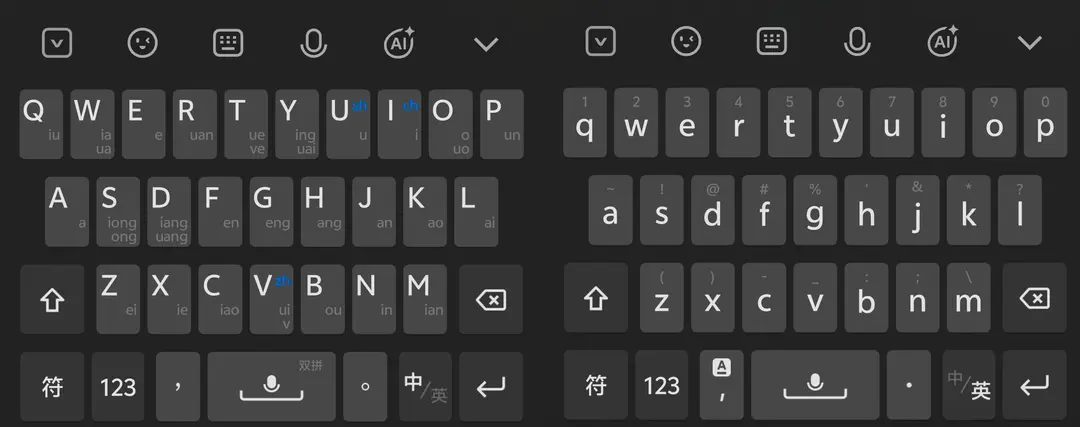
On iPhone, similar shortcomings to Gboard's can be considered "niche experiences." The native iPhone input method requires clicking the "123" key in the lower left corner even for the most basic commas and periods. When chatting on WeChat and typing a simple sentence, I constantly have to switch between the Chinese and punctuation input interfaces. Especially when writing articles like this one, besides Chinese, I also need to input English and other symbols, including commonly used URL prefixes. This requires constantly clicking between the "Input Method Switch Icon" and the "123 Icon" in the lower left corner. The Chinese and English interfaces of the iPhone input method look almost identical, as do the Chinese and English punctuation interfaces. This often has me "pumping the bellows," clicking back and forth on those switch keys, unsure if I've even selected the correct interface.
Even more bizarre is the Chinese double-pinyin input method. I've long used the Natural Code double-pinyin scheme, so as soon as I got the phone, I instinctively looked for the corresponding option. After searching through the settings, I found that the iPhone's native double-pinyin schemes included Pinyin Jiajia, Sogou Double Pinyin, and Microsoft Double Pinyin, but偏偏没有 "Natural Code." My first thought was, "Looks like I'll have to install a third-party input method." Later, with a "nothing to lose" attitude, I tried a scheme called "Common Double Pinyin." After typing a bit, it felt strangely familiar. Upon careful testing, I finally realized that this so-called "Common Double Pinyin" was actually Natural Code.
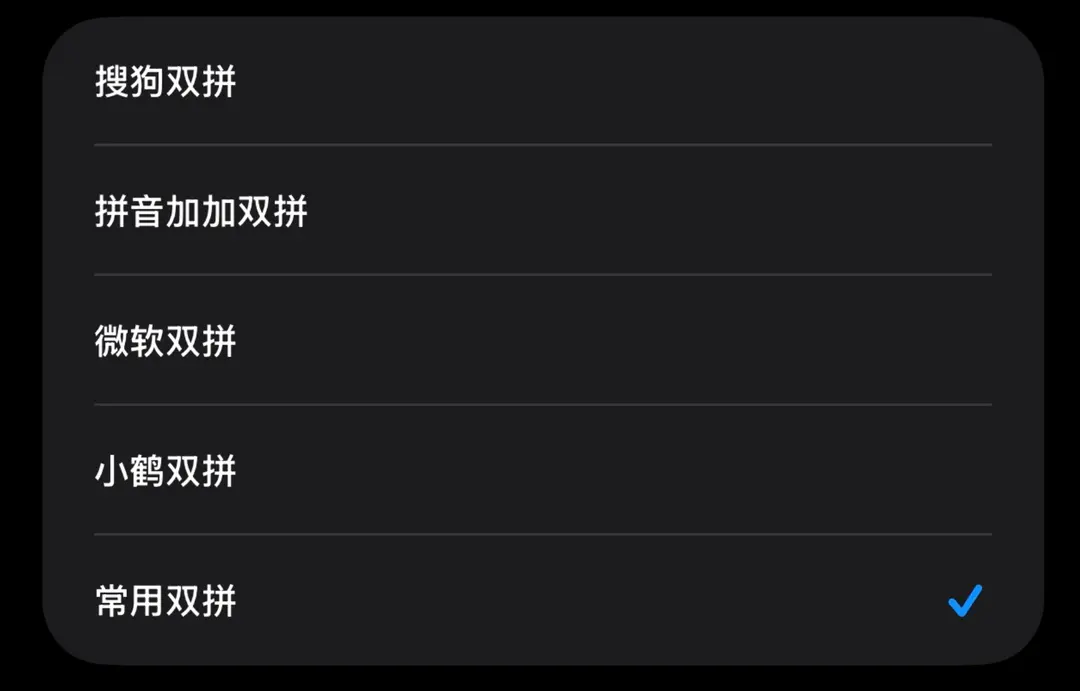
This issue itself isn't a big deal; it's even a bit of dark humor. But it conversely shows that Apple hasn't delved as deeply into the details of Chinese input as domestic systems have. Many things that seem理所当然 to Chinese users still carry a sense of "good enough" detachment at Apple.
iPhone's Home Screen Icon Management Is Difficult to Use
Besides text processing and the input method, another point I found hard to adapt to is the iPhone's home screen layout and functionality.
First is that eternally unchanged 4-icon-per-row layout. After getting the phone, I一度 thought about where to change this layout. I searched around but couldn't find it. Then I searched on short video platforms and discovered that iPhone hasn't changed this layout in 20 years. From the first-generation iPhone's 3.5-inch screen to today's 6.9-inch large screen, it has never considered expanding the 4-column icon layout to 5 columns. For modern phones that often have 512GB/1TB storage and install hundreds of apps, a 4-column layout is too conservative and wasteful of space.
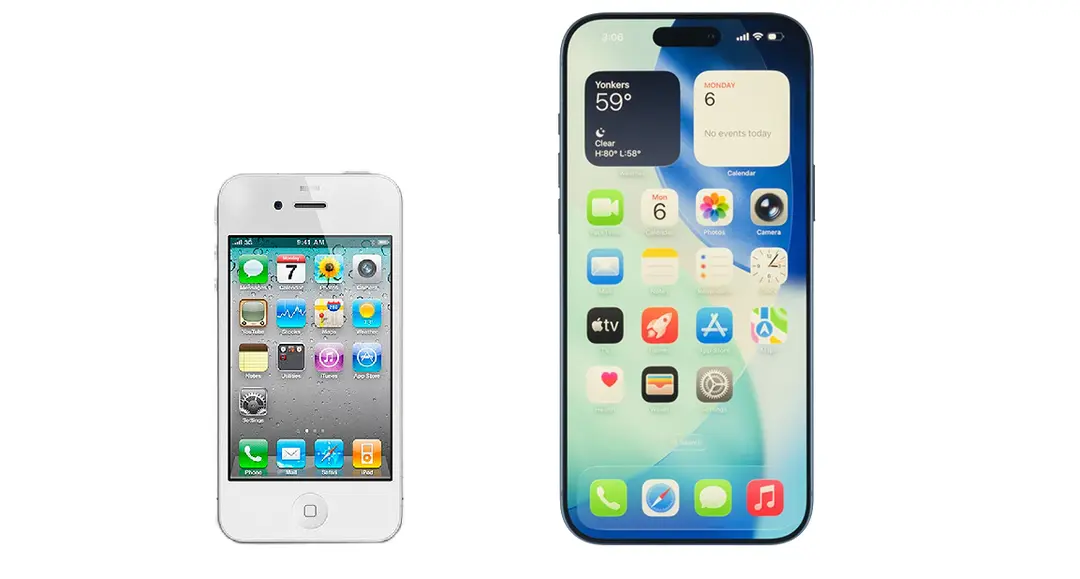
This feeling is like moving from a 70-square-meter old apartment to a 140-square-meter large house, only to find the living room still furnished with the small coffee table and side table from the rental days. It's not that they can't be used, but it just feels off.
Another issue is the inefficient performance of desktop icon organization.
Unlike Android, where you can typically select multiple icons simultaneously and merge them into a folder, iPhone still uses the most primitive method of operating on icons one by one. Maybe I'm getting old, but what's particularly uncomfortable during this process is that when I try to drag an app icon into another folder, that folder总是以为 I'm trying to displace its position—it either moves forward or backward. A simple drag-and-drop operation sometimes takes over a dozen attempts to succeed. In the end, I'm not even sure how I managed to stuff them all in.
Some Operations Look Refined but Are Cumbersome to Use
Besides the interface layout, another aspect of iPhone that increasingly bothers me is that many operations still require users to "tap accurately."
The most typical example is browser tab operations. For instance, when using the Edge browser, if I want to close a tab, I have to precisely tap the small "x" in the upper right corner. This action itself isn't complicated, but its high frequency adds up. Opening and closing dozens of tabs a day, over time, reveals that this "must precisely hit a small area" interaction method is actually quite draining.
In contrast, many similar scenarios on Android have long moved towards "rough but efficient interaction." Tabs can be closed with a horizontal swipe; some background tasks can be cleared with a flick; even many notifications and floating cards can be operated with broader gestures. It might not be as neat as Apple's "tap a small icon to execute a command," but in the era of large screens and high-frequency operations, this interaction logic is clearly more convenient.
Operations like swiping from any edge of the screen towards the center on Android are永远只有 limited to swiping up from the bottom on iPhone.
These issues, like the input method and text copying, aren't致命 individually. But once叠加起来, they make it very apparent that iPhone's system still retains a relatively "antiquated" operational inertia. Since there's "Power Button + Volume Up" for screenshots, is it necessary to keep a "Screenshot" button in the Control Center? Since a single "HOME" button solved everything before, must all operations now still originate from the bottom of the phone? Since many practical functions can be set up via "Shortcuts," is it necessary to add them directly?
It certainly has its own elegance and sense of order. But sometimes, this elegance isn't free—it's paid for by users through more precise taps, online searches, and more restrained adaptation to its ways.
Apple's Charging Is Really Too Slow
Another issue falls into the category of experiences that were tolerable in the past but are increasingly hard to bear now: charging speed.
Honestly, if we go back to 2016 or 2017, while iPhone's slow charging was annoying, it didn't create a huge psychological落差. Back then, many phones didn't have the tens or even hundreds of watts of fast charging capability common today. People's understanding of "charging" was more about plugging it in overnight or slowly topping up during the day.
But now it's different.
Over the past years, the progress of domestic Android in fast charging isn't just about improved technical specs; it has genuinely changed user habits. For me now, phone charging mainly happens in two scenarios: while driving and while at work. I don't always manage to fully charge the phone overnight. Sometimes it goes through the night with low battery, and I genuinely rely on those 10-20 minutes in the morning—while taking kids to school, commuting, or after arriving at work—to quickly boost the battery.
With this usage rhythm, fast charging is no longer some "enthusiast selling point"; it's a very practical, fundamental capability. With Android phones now, 10-20 minutes is often enough to restore a sense of security, at least knowing you don't have to constantly worry about battery life. But iPhone, to this day, still feels相当 slow in this regard. It's not that it doesn't charge, but that recharge speed, in today's environment, clearly lags behind the expectations I've developed over the past few years.
Ultimately, this might not entirely be due to Apple's lack of technology; it's more a difference in philosophy. Apple has never been keen on pushing fast charging to the extreme, seemingly preferring a conservative balance between battery lifespan, safety, and overall pace. The problem is, Chinese users'生活节奏 is inherently more fragmented. Often, phone charging doesn't happen during long, uninterrupted windows but is squeezed into various零碎空档. In such real-world scenarios, fast charging is no longer just a spec issue; it's a difference in usage patterns.
It's Not That iPhone Has Regressed, But That Domestic Android Has Advanced Too Much
Thinking冷静, today's iPhone is certainly not a bad phone. It's still exquisitely crafted, has a complete ecosystem, and maintains Apple's own advantages in imaging, performance, animations, and detail consistency. The problem isn't that it has regressed; it's that over these nine years, domestic Android has gone too far down another path.
Nine years ago, domestic Android was far from as mature as it is today. Back then, many systems were still catching up on smoothness,质感, and stability. Some seemingly cool features weren't necessarily truly usable. But over the past years, in the high-intensity competition of the Chinese market, domestic Android has been honed into developing another set of capabilities. They haven't just strengthened hardware or smoothed out the system; they've gradually turned many过去看似细碎、边角、甚至 "not worth mentioning" high-frequency needs into fundamental capabilities.
During my use of this current iPhone, there are many issues I haven't详细 discussed. For example, portrait photography, multi-functional screenshots, regional screen recording, data plan management, package delivery reminders, spam message blocking, real-time video translation, and the very折腾 process of downloading apps missing from the Chinese App Store.
Looking at these capabilities individually, none seem足以决定 a phone's "high-end" status. But when they all叠加在一起, they create a very distinct difference in user experience. Domestic Android increasingly feels like a set of "out-of-the-box ready-to-use" high-density tools tailored for real life in China. iPhone, on the other hand, still feels more like plain water—if you want any flavor, you have to spend time figuring it out yourself, and you might still fail.
So, what surprised me most about switching back to iPhone this time wasn't that it's bad, but that I重新感受到 a sense of陌生 in many of the most basic operations.
On the surface, it seems like I don't know how to use iPhone anymore. But upon careful thought, perhaps what has truly changed isn't me, nor is it just Apple. It's that over these nine years, both domestic Android and the usage environment for Chinese users have changed.
Many aspects that required compromise, adaptation, and忍耐 in the past have long been smoothed out bit by bit on domestic phones. When you turn back and重新面对 the logic that iPhone has一直坚持, it naturally feels out of sync.
#iphone #android #apple #input method #smartphone